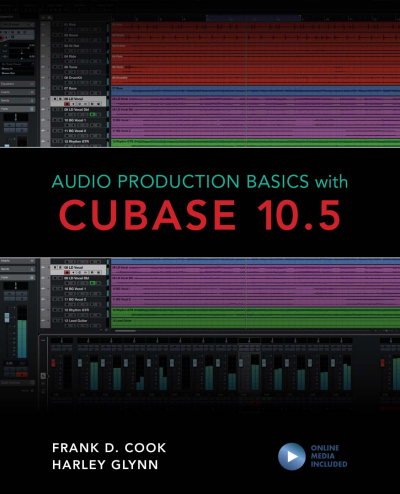
Audio Production Basics with Cubase 10.5
- Authors:
- |
- Publisher:
- 2020
Summary
Learn the basics of recording, editing, and mixing audio using Cubase Elements, Artist, or Pro. Experience the software used worldwide by musicians, producers, engineers, mixers, and audio professionals. Filled with tips and insights, Audio Production Basics with Cubase 10.5 will get you working fast. With this book and the included media files, you’ll get the practical, hands-on exposure you need. We cover everything from setting up your computer to the fundamentals of audio production, including:
Basic Digital Audio Workstation operations and audio hardware options
Principles of sound production and microphone use
Essential Cubase concepts and operations
MIDI fundamentals for playing and performing with virtual instruments
Multi-track recording
Plug-in use and signal processing techniques
Mixing your project and using automation
Outputting your final mixdown
Cubase software is very powerful, yet fun and easy to use. Everything you learn here will apply to all editions of Cubase (Elements, Artist, and Pro), so you can easily upgrade in the future no matter where you are starting today. Take the first step now, with Audio Production Basics with Cubase 10.5.
Keywords
Search publication
Bibliographic data
- Edition
- 1/2020
- Copyright Year
- 2020
- ISBN-Print
- 978-1-5381-3725-3
- ISBN-Online
- 978-1-5381-3726-0
- Publisher
- Rowman & Littlefield, Lanham
- Language
- English
- Pages
- 315
- Product Type
- Monograph
Table of contents
- Contents No access
- Acknowledgments No access
- Introduction. Welcome to the World of Audio No access
- Mac Versus Windows Considerations No access
- The Importance of RAM No access
- Processing Power No access
- Storage Space No access
- Storage Options No access
- Onboard Sound Options (Audio In and Out) No access
- Other Options to Consider No access
- File Management No access
- Launching Applications No access
- Saving Files No access
- Menus No access
- Keyboard Shortcuts and Other Key Commands No access
- Review/Discussion Questions No access
- Exercise 1. Exploring Audio on the Computer No access Pages 26 - 30
- What Can a DAW Do? No access
- Common DAWs No access
- What Is a Plug-In? No access
- Common Plug-In Formats No access
- Cubase Software Options No access
- Cubase Hardware Options No access
- Accessing the Installer No access
- Installation Steps No access
- Launching Cubase Elements for the First Time No access
- Project Files Versus Audio Files No access
- Audio Versus MIDI No access
- Review/Discussion Questions No access
- Exercise 2. Working with a Multi-Track Project No access Pages 55 - 60
- Frequency No access
- Amplitude No access
- Traditional Microphones No access
- USB Microphones No access
- Other Considerations No access
- Basic Miking Techniques No access
- What Is Multi-Track Recording? No access
- Recording Signal Flow No access
- Analog Versus Digital Audio No access
- The Analog-to-Digital Conversion Process No access
- Audio Interface Considerations No access
- Working Without an Audio Interface No access
- Review/Discussion Questions No access
- Exercise 3. Selecting Your Audio Production Gear No access Pages 78 - 82
- Digital Control No access
- The Birth of MIDI No access
- MIDI Notes No access
- Program Changes No access
- Controller Messages No access
- Tone-Generating Keyboards No access
- Keyboard Controllers No access
- Drumpad Controllers No access
- Grid Controllers No access
- Alternate Controllers No access
- What to Look for in a MIDI Controller No access
- Purchasing a Keyboard Controller No access
- Plug-and-Play Setup No access
- MIDI Cables and Jacks No access
- Using a MIDI Interface No access
- Considerations for Using Multiple MIDI Devices No access
- What Is MIDI? No access
- Monitoring with Onboard Sound Versus Virtual Instruments No access
- Creating Tracks for Virtual Instruments No access
- Summary No access
- Review/Discussion Questions No access
- Exercise 4. Selecting Your MIDI Production Gear No access Pages 104 - 106
- Creating a Project No access
- Project Window Overview No access
- MixConsole Overview No access
- Transport Panel No access
- Adding Tracks No access
- Primary Track Types No access
- Mono Versus Stereo Tracks No access
- MIDI Versus Instrument Tracks No access
- Events Versus Files No access
- Using the Transport Controls No access
- Zooming and Scrolling in the Project Window No access
- Controlling Playback Behavior No access
- Monitoring Your Timeline Location No access
- Locator Ranges Versus Range Selections No access
- Playing a Range Selection No access
- Range Scenarios No access
- Review/Discussion Questions No access
- Exercise 5. Configuring and Working on a Project No access Pages 137 - 144
- Setting Up for Recording No access
- Specifying a Record Range No access
- Record-Enabling Audio Tracks No access
- Monitoring Record-Enabled Audio Tracks No access
- Initiating a Record Take No access
- Undoing a Record Take No access
- Monitoring a MIDI Controller No access
- Record-Enabling MIDI and Instrument Tracks No access
- Selecting a MIDI Record Mode No access
- Supported File Types No access
- Importing Files from the Desktop No access
- Using the Import Command No access
- The Snap Types No access
- Snap Off No access
- Setting the Grid Type No access
- Recognizing Parts and Events in the Project Window No access
- Selecting the Right Tool No access
- Basic Editing Techniques No access
- Advanced Editing Techniques No access
- Review/Discussion Questions No access
- Exercise 6. Importing and Editing MIDI Parts and Audio Events No access Pages 175 - 184
- Setting Levels No access
- Panning No access
- Gain-Based Processing No access
- Time-Based Processing and Effects No access
- Inserts Versus Sends No access
- Advantages of In-the-Box Mixing No access
- Getting the Most Out of an In-the-Box Mix No access
- Review/Discussion Questions No access
- Exercise 7. Creating a Basic Mix No access Pages 198 - 204
- Viewing Inserts on Channels No access
- Inserting Plug-Ins on Tracks No access
- Moving and Duplicating Plug-Ins No access
- Displaying Plug-In Windows No access
- Common Plug-In Controls No access
- Adjusting Parameters with the Mouse No access
- Adjusting Parameters with a Scroll Wheel or Track Pad No access
- Adjusting Plug-In Parameters with the Computer Keyboard No access
- Types of EQ No access
- Basic EQ Parameters No access
- EQ Plug-Ins in Cubase Elements No access
- Strategies for Using EQ No access
- Types of Dynamics Processors No access
- Basic Dynamics Parameters No access
- Dynamics Plug-Ins in Cubase Elements No access
- Strategies for Using Compression No access
- What Is Reverb? No access
- Reverb in Cubase Elements No access
- Applications for Reverb Processors No access
- What Is Delay? No access
- Delay in Cubase Elements No access
- Applications for Delay Processors No access
- Using Time-Based Effects as Inserts on Effect Tracks No access
- Using Send-and-Return Configurations No access
- Review/Discussion Questions No access
- Exercise 8. Optimizing Tracks with Signal Processing No access Pages 229 - 236
- Recalling a Saved Mix No access
- Selecting an Automation State No access
- Writing Real-Time Automation No access
- Creating Automation Manually No access
- Editing Automation Events No access
- Using the Line Tool for Automation No access
- Adding Processing on the Output Fader No access
- Considerations for Bouncing Audio No access
- Exporting an Audio Mix No access
- Review/Discussion Questions No access
- Exercise 9. Preparing the Final Mix No access Pages 257 - 262
- Customizing Key Commands in Cubase No access
- The Info Line No access
- Simplifying a Mix No access
- Creating Stems No access
- Left Zone No access
- Lower Zone No access
- Right Zone No access
- Selecting and Modifying Chords No access
- Adding Chords to Tracks No access
- Accessing the Chord Assistant No access
- Circle of Fifths No access
- Auditioning Chords and Adding Chords to a Project No access
- Common Functions and Operations No access
- Commonly Used Tools No access
- Common Zoom Commands No access
- Common Fade Functions No access
- Common Edit Functions No access
- Track Commands No access
- Review/Discussion Questions No access
- Exercise 10. Finalizing a Project No access Pages 288 - 294
- Exercise 11. Exploring in Cubase No access Pages 295 - 306
- Index No access Pages 307 - 314
- About the Authors No access Pages 315 - 315