, um zu prüfen, ob Sie einen Vollzugriff auf diese Publikation haben.
Monographie Kein Zugriff
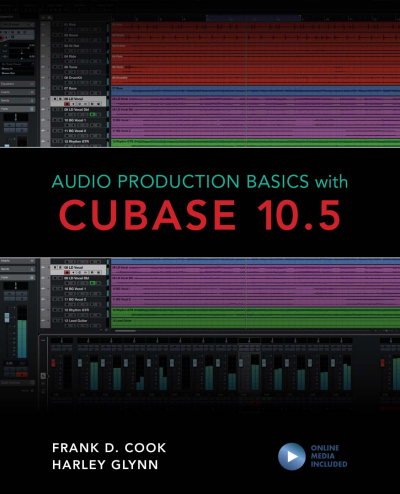
Audio Production Basics with Cubase 10.5
- Autor:innen:
- |
- Verlag:
- 2020
Schlagworte
Publikation durchsuchen
Bibliographische Angaben
- Auflage
- 1/2020
- Copyrightjahr
- 2020
- ISBN-Print
- 978-1-5381-3725-3
- ISBN-Online
- 978-1-5381-3726-0
- Verlag
- Rowman & Littlefield, Lanham
- Sprache
- Englisch
- Seiten
- 315
- Produkttyp
- Monographie
Inhaltsverzeichnis
KapitelSeiten
- Contents Kein Zugriff
- Acknowledgments Kein Zugriff
- Introduction. Welcome to the World of Audio Kein Zugriff
- Mac Versus Windows Considerations Kein Zugriff
- The Importance of RAM Kein Zugriff
- Processing Power Kein Zugriff
- Storage Space Kein Zugriff
- Storage Options Kein Zugriff
- Onboard Sound Options (Audio In and Out) Kein Zugriff
- Other Options to Consider Kein Zugriff
- File Management Kein Zugriff
- Launching Applications Kein Zugriff
- Saving Files Kein Zugriff
- Menus Kein Zugriff
- Keyboard Shortcuts and Other Key Commands Kein Zugriff
- Review/Discussion Questions Kein Zugriff
- Exercise 1. Exploring Audio on the Computer Kein Zugriff Seiten 26 - 30
- What Can a DAW Do? Kein Zugriff
- Common DAWs Kein Zugriff
- What Is a Plug-In? Kein Zugriff
- Common Plug-In Formats Kein Zugriff
- Cubase Software Options Kein Zugriff
- Cubase Hardware Options Kein Zugriff
- Accessing the Installer Kein Zugriff
- Installation Steps Kein Zugriff
- Launching Cubase Elements for the First Time Kein Zugriff
- Project Files Versus Audio Files Kein Zugriff
- Audio Versus MIDI Kein Zugriff
- Review/Discussion Questions Kein Zugriff
- Exercise 2. Working with a Multi-Track Project Kein Zugriff Seiten 55 - 60
- Frequency Kein Zugriff
- Amplitude Kein Zugriff
- Traditional Microphones Kein Zugriff
- USB Microphones Kein Zugriff
- Other Considerations Kein Zugriff
- Basic Miking Techniques Kein Zugriff
- What Is Multi-Track Recording? Kein Zugriff
- Recording Signal Flow Kein Zugriff
- Analog Versus Digital Audio Kein Zugriff
- The Analog-to-Digital Conversion Process Kein Zugriff
- Audio Interface Considerations Kein Zugriff
- Working Without an Audio Interface Kein Zugriff
- Review/Discussion Questions Kein Zugriff
- Exercise 3. Selecting Your Audio Production Gear Kein Zugriff Seiten 78 - 82
- Digital Control Kein Zugriff
- The Birth of MIDI Kein Zugriff
- MIDI Notes Kein Zugriff
- Program Changes Kein Zugriff
- Controller Messages Kein Zugriff
- Tone-Generating Keyboards Kein Zugriff
- Keyboard Controllers Kein Zugriff
- Drumpad Controllers Kein Zugriff
- Grid Controllers Kein Zugriff
- Alternate Controllers Kein Zugriff
- What to Look for in a MIDI Controller Kein Zugriff
- Purchasing a Keyboard Controller Kein Zugriff
- Plug-and-Play Setup Kein Zugriff
- MIDI Cables and Jacks Kein Zugriff
- Using a MIDI Interface Kein Zugriff
- Considerations for Using Multiple MIDI Devices Kein Zugriff
- What Is MIDI? Kein Zugriff
- Monitoring with Onboard Sound Versus Virtual Instruments Kein Zugriff
- Creating Tracks for Virtual Instruments Kein Zugriff
- Summary Kein Zugriff
- Review/Discussion Questions Kein Zugriff
- Exercise 4. Selecting Your MIDI Production Gear Kein Zugriff Seiten 104 - 106
- Creating a Project Kein Zugriff
- Project Window Overview Kein Zugriff
- MixConsole Overview Kein Zugriff
- Transport Panel Kein Zugriff
- Adding Tracks Kein Zugriff
- Primary Track Types Kein Zugriff
- Mono Versus Stereo Tracks Kein Zugriff
- MIDI Versus Instrument Tracks Kein Zugriff
- Events Versus Files Kein Zugriff
- Using the Transport Controls Kein Zugriff
- Zooming and Scrolling in the Project Window Kein Zugriff
- Controlling Playback Behavior Kein Zugriff
- Monitoring Your Timeline Location Kein Zugriff
- Locator Ranges Versus Range Selections Kein Zugriff
- Playing a Range Selection Kein Zugriff
- Range Scenarios Kein Zugriff
- Review/Discussion Questions Kein Zugriff
- Exercise 5. Configuring and Working on a Project Kein Zugriff Seiten 137 - 144
- Setting Up for Recording Kein Zugriff
- Specifying a Record Range Kein Zugriff
- Record-Enabling Audio Tracks Kein Zugriff
- Monitoring Record-Enabled Audio Tracks Kein Zugriff
- Initiating a Record Take Kein Zugriff
- Undoing a Record Take Kein Zugriff
- Monitoring a MIDI Controller Kein Zugriff
- Record-Enabling MIDI and Instrument Tracks Kein Zugriff
- Selecting a MIDI Record Mode Kein Zugriff
- Supported File Types Kein Zugriff
- Importing Files from the Desktop Kein Zugriff
- Using the Import Command Kein Zugriff
- The Snap Types Kein Zugriff
- Snap Off Kein Zugriff
- Setting the Grid Type Kein Zugriff
- Recognizing Parts and Events in the Project Window Kein Zugriff
- Selecting the Right Tool Kein Zugriff
- Basic Editing Techniques Kein Zugriff
- Advanced Editing Techniques Kein Zugriff
- Review/Discussion Questions Kein Zugriff
- Exercise 6. Importing and Editing MIDI Parts and Audio Events Kein Zugriff Seiten 175 - 184
- Setting Levels Kein Zugriff
- Panning Kein Zugriff
- Gain-Based Processing Kein Zugriff
- Time-Based Processing and Effects Kein Zugriff
- Inserts Versus Sends Kein Zugriff
- Advantages of In-the-Box Mixing Kein Zugriff
- Getting the Most Out of an In-the-Box Mix Kein Zugriff
- Review/Discussion Questions Kein Zugriff
- Exercise 7. Creating a Basic Mix Kein Zugriff Seiten 198 - 204
- Viewing Inserts on Channels Kein Zugriff
- Inserting Plug-Ins on Tracks Kein Zugriff
- Moving and Duplicating Plug-Ins Kein Zugriff
- Displaying Plug-In Windows Kein Zugriff
- Common Plug-In Controls Kein Zugriff
- Adjusting Parameters with the Mouse Kein Zugriff
- Adjusting Parameters with a Scroll Wheel or Track Pad Kein Zugriff
- Adjusting Plug-In Parameters with the Computer Keyboard Kein Zugriff
- Types of EQ Kein Zugriff
- Basic EQ Parameters Kein Zugriff
- EQ Plug-Ins in Cubase Elements Kein Zugriff
- Strategies for Using EQ Kein Zugriff
- Types of Dynamics Processors Kein Zugriff
- Basic Dynamics Parameters Kein Zugriff
- Dynamics Plug-Ins in Cubase Elements Kein Zugriff
- Strategies for Using Compression Kein Zugriff
- What Is Reverb? Kein Zugriff
- Reverb in Cubase Elements Kein Zugriff
- Applications for Reverb Processors Kein Zugriff
- What Is Delay? Kein Zugriff
- Delay in Cubase Elements Kein Zugriff
- Applications for Delay Processors Kein Zugriff
- Using Time-Based Effects as Inserts on Effect Tracks Kein Zugriff
- Using Send-and-Return Configurations Kein Zugriff
- Review/Discussion Questions Kein Zugriff
- Exercise 8. Optimizing Tracks with Signal Processing Kein Zugriff Seiten 229 - 236
- Recalling a Saved Mix Kein Zugriff
- Selecting an Automation State Kein Zugriff
- Writing Real-Time Automation Kein Zugriff
- Creating Automation Manually Kein Zugriff
- Editing Automation Events Kein Zugriff
- Using the Line Tool for Automation Kein Zugriff
- Adding Processing on the Output Fader Kein Zugriff
- Considerations for Bouncing Audio Kein Zugriff
- Exporting an Audio Mix Kein Zugriff
- Review/Discussion Questions Kein Zugriff
- Exercise 9. Preparing the Final Mix Kein Zugriff Seiten 257 - 262
- Customizing Key Commands in Cubase Kein Zugriff
- The Info Line Kein Zugriff
- Simplifying a Mix Kein Zugriff
- Creating Stems Kein Zugriff
- Left Zone Kein Zugriff
- Lower Zone Kein Zugriff
- Right Zone Kein Zugriff
- Selecting and Modifying Chords Kein Zugriff
- Adding Chords to Tracks Kein Zugriff
- Accessing the Chord Assistant Kein Zugriff
- Circle of Fifths Kein Zugriff
- Auditioning Chords and Adding Chords to a Project Kein Zugriff
- Common Functions and Operations Kein Zugriff
- Commonly Used Tools Kein Zugriff
- Common Zoom Commands Kein Zugriff
- Common Fade Functions Kein Zugriff
- Common Edit Functions Kein Zugriff
- Track Commands Kein Zugriff
- Review/Discussion Questions Kein Zugriff
- Exercise 10. Finalizing a Project Kein Zugriff Seiten 288 - 294
- Exercise 11. Exploring in Cubase Kein Zugriff Seiten 295 - 306
- Index Kein Zugriff Seiten 307 - 314
- About the Authors Kein Zugriff Seiten 315 - 315