, to see if you have full access to this publication.
Monograph No access
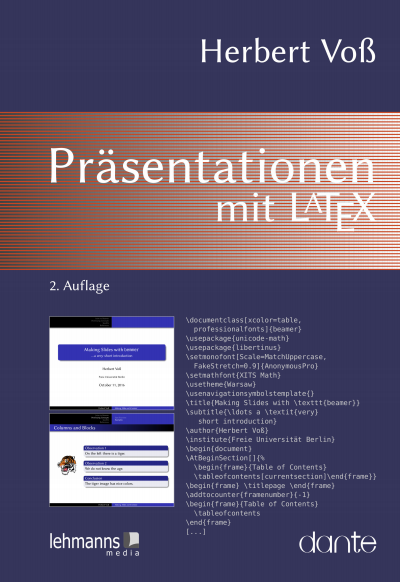
Präsentationen mit LaTeX
- Authors:
- Publisher:
- 2017
Keywords
Search publication
Bibliographic data
- Edition
- 2/2017
- Copyright Year
- 2017
- ISBN-Print
- 978-3-86541-836-4
- ISBN-Online
- 978-3-86541-916-3
- Publisher
- Lehmanns Media, Berlin
- Language
- German
- Pages
- 238
- Product Type
- Monograph
Table of contents
ChapterPages
- Inhaltsverzeichnis No access
- Vorwort zur zweiten Auflage No access
- 1.1 Ein wenig Geschichte… No access
- 1.2 Typografie und Layout No access
- 1.3 Textanordnung und Farben No access
- 2.1 Dokumentenstruktur No access
- 2.2 Parameter No access
- 2.3 Folien No access
- 2.4.1 \pause No access
- 2.4.2 \item-Befehl No access
- 2.4.3 \onslide No access
- 2.5 Navigation No access
- 2.6 Zweispaltensatz No access
- 2.7 Verbatimmodus No access
- 2.8 Videos und Animationen No access
- 2.9 Verfügbarer Platz No access
- 2.10 Stildatei No access
- 2.11.1 Farbpaletten No access
- 2.12 Bibliografie No access
- 2.13 Notes No access
- 2.14.1 Stil aggie – dunkelrotes und hellgraues Farbschema No access
- 2.14.2 Stil bframe – blaue Textrahmen No access
- 2.14.3 Stil ciment – Linien als Hintergrund No access
- 2.14.4 Stil elcolors – sanfte rote, blaue und gelbe Hintergrundfarben No access
- 2.14.5 Stil fyma – Farbenverlauf als Hintergrund No access
- 2.14.6 Stil horatio – nur farbige Kopf- und Fußzeile No access
- 2.14.7 Stil husky – Sonnenstrahlen als Hintergrund No access
- 2.14.8 Stil ikeda – Dunkler Hintergrund mit heller Textfarbe No access
- 2.14.9 Stil jefka – Vier Farbpaletten zur Auswahl No access
- 2.14.10 Stil klope – Horizontales Inhaltsverzeichnis No access
- 2.14.11 Stil paintings – Kein Inhaltsverzeichnis, mehrere Farbpalettenzur Auswahl No access
- 2.14.12 Stil pazik – rote oder braune Farbpalette No access
- 2.14.13 Stil sailor – Mehrere Farbpaletten zur Auswahl No access
- 2.14.14 Stil simple – Schwarz-Weiß-Schema No access
- 2.14.15 Stil tycja – blaue und gelbe Farbschatten No access
- 2.14.16 Stil upen – gelber Text auf blauem Hintergrund No access
- 2.14.17 Stil BerlinFU – Freie Universität Berlin No access
- 2.14.18 Stil clemson – Clemson University No access
- 3.1 Definition einer eigenen Dokumentenklasse No access
- 3.2 Definition einer eigenen Stildatei No access
- 3.3 Eigene Navigationsstruktur und quadratisches Logo No access
- 3.4 Spezielle Navigationsstruktur No access
- 4.1 Dokumentenstruktur No access
- 4.2 Die Struktur einer Präsentation No access
- 4.3 Parametersetzung No access
- 4.4 Die Titelseite No access
- 4.5 Mehrfache Folienverwendung No access
- 4.6.1 Overlay-Makros No access
- 4.6.2 Opaqueness No access
- 4.6.3 Overlayumgebungen No access
- 4.6.4 Overlaybereiche No access
- 4.6.5 Befehle für Overlays No access
- 4.7 Umgebungen aus Standard-LATEX No access
- 4.8 Navigationselemente No access
- 4.9 Animationen, Sound und Filme No access
- 4.10 Folienübergänge No access
- 4.11 Textboxen No access
- 4.12 Einfügen eines Logos No access
- 4.13 Strukturierung einer Präsentation No access
- 4.14 Mehrspaltensatz No access
- 4.15 Hyperlinks No access
- 4.16 Listen No access
- 4.17 Textstile No access
- 4.18.1 Eigene »Fragile«-Umgebung definieren No access
- 4.18.2 semiverbatim No access
- 4.19 Grafiken einbinden No access
- 4.20.1 Templates für Fonts No access
- 4.20.2 Templates für Farben No access
- 4.20.3 Hintergründe und Hintergrundfarben No access
- 4.20.4 Makros zum Einfügen von Inhalten No access
- 4.21 Notes No access
- 4.22.1 Verwendung der Umgebung thebibliography No access
- 4.22.2 BIBTEX No access
- 4.22.3 BibLATEX No access
- 4.23 Zwei Bildschirme verwenden No access
- 4.24 Ausgabemodus No access
- 4.25 Standardlayouts für beamer No access
- 4.26.1 Gleichungen zeilenweise darstellen No access
- 4.26.2 Aktive Zeilen in Listen No access
- 4.26.3 Zusätzliche Nummerierungen No access
- 4.26.4 Standard-Navigationssymbole auf der linken Seite No access
- 4.26.5 Logoanordnung No access
- 4.26.6 Logo auf der Titelseite No access
- 4.26.7 Abbildungen im transparenten Modus No access
- 4.26.8 Programmlistings einbinden No access
- 4.26.9 Miniframes mit Rechtecken No access
- 4.26.10 Kopf- und Fußzeile modifizieren No access
- 4.26.11 Befehl \only im Mathematikmodus No access
- 4.26.12 Zweites Inhaltsverzeichnis mit Liste der Folientitel No access
- 4.26.13 Fortschrittsanzeige durch einen Balken No access
- 4.26.14 Liste der Folien No access
- 4.26.15 Video über die gesamte Folienbreite No access
- 4.26.16 Anzeigen der Uhrzeit No access
- 5.1 Definition einer eigenen Dokumentenklasse No access
- 5.2 Definition eines eigenen Themas No access
- 5.3 Spezielle Layouts No access
- 6.1.1 Elpres No access
- 6.1.2 fancyslides No access
- 6.1.3 ffslides No access
- 6.1.4 guitbeamer No access
- 6.2.1 ifmslide No access
- 6.2.2 overlays No access
- 6.2.3 pdfslide No access
- 7.1 Definition von Farben über numerische Werte No access
- 7.2 Farbspezifikation No access
- 7.3 Anwendung vordefinierter Farben (»named colors«) No access
- 7.4 Farben in Boxen No access
- 7.5 Farbwerte bestimmen No access
- Paket pgfpages No access
- Anzahl Overlays No access
- A.1.2 powerdot No access
- Abbildungen No access
- Pakete laden – »option clash« No access
- Absatzumbruch – Flattersatz No access
- pdfTEX No access
- X ETEX No access
- LuaTEX No access
- A.2.1 dvips No access
- A.2.2 ps2pdf No access
- A.3 Von pdfLATEX zu LuaLATEX No access
- A.4 PSTricks No access
- A.5 LATEX-Editoren No access
- A.6 Tabellen No access
- Literatur No access Pages 207 - 208
- Index der Befehle und Begriffe No access Pages 209 - 230
- Personen No access Pages 231 - 231