, to see if you have full access to this publication.
Edited Book No access
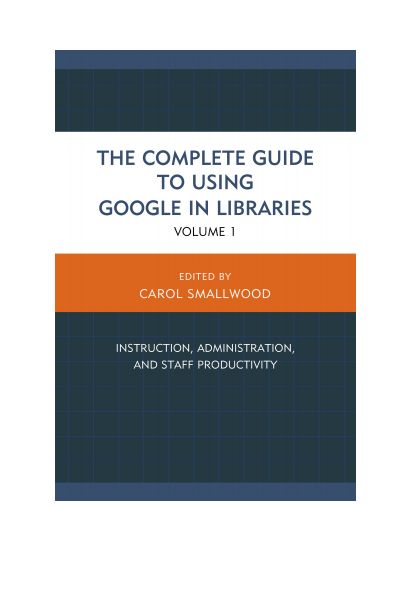
The Complete Guide to Using Google in Libraries
Instruction, Administration, and Staff Productivity
Editors:
Publisher:
2015
Summary
Carol Smallwood's The Complete Guide to Using Google in Libraries, Volume 1: Instruction, Administration, and Staff Productivity explores how Google's suite of tools, from Google Docs (now Google Drive), Google Scholar, Hangout, Forms, and others made freely available to the Internet Community can be used by libraries to expand the role of digital operations in the management of library materials, to communicate with their patrons and collaborators, to exploit the resources on the Web, and many others. The book has 29 chapters organized into sections that focus on ways that Google’s suite of tools can be applied to address problems in a specific area of library concern. The section headings are: Library Instruction for Users; Collaboration within and among libraries; Library Administration; Collection Management; and Library Productivity. In each topical area, the chapters show how librarians are taking advantage of these tools to change the way that their library works. All of this without the burden of an additional bill to pay. Through these carefully selected case studies from real libraries, you will be able to learn about the surprising and powerful potential that exists through Google tools to improve library operations.
Search publication
Bibliographic data
Edition
1/2015
Copyright Year
2015
ISBN-Print
978-1-4422-4689-8
ISBN-Online
978-1-4422-4691-1
Publisher
Rowman & Littlefield, Lanham
Language
English
Pages
310
Product Type
Edited Book
Table of contents
ChapterPages
Contents No access
Foreword No access
Preface No access
Acknowledgments No access
1 App It Up No access
2 Developing Research Skills with Developmental Students No access
3 Enhancing Access to Master’s Thesis Research with Google Fusion and Google Maps No access
4 Google Trends as an Academic Research Tool No access
5 Helping College Students Make the Most of Google Scholar No access
6 Using Google for Primary Sources No access
7 Hanging Out with Google No access
8 Harnessing the Power of Google Docs for Writing Collaboration No access
9 Taking Interlibrary Loan Operations from Good to Great Using Google Collaboration Tools No access
10 Using Google Calendar Collaboratively for Library Organization No access
11 Using Google Sites as Library Intranet No access
12 Google Analytics and Library Websites No access
13 Google Video and YouTube No access
14 Incorporating Google Trends into Library Administration No access
15 Organizing Employees Using Google No access
16 Using Google Drive for Library Assessment No access
17 Using Google Forms and Google Drive for Library Use Surveys No access
18 Google Books API No access
19 Google Books as a Library Resource No access
20 Google Ngram Viewer No access
21 Managing Electronic Resources License Agreements and Other Documentation with Google Drive No access
22 Simplifying “Contact Us” No access
23 Does Google Scholar Help or Hurt Institutional Repositories? No access
24 Embedding with Google No access
25 Librarians’ Everyday Use of Google Tasks, Voice, Hangouts and Chat, Translate, and Drive No access
26 Google Alerts, Trends, and Chrome in Public Relations No access
27 Google Drive for Library Productivity No access
28 Google Translating and Image Searching for Foreign-Language Cataloging No access
29 Understanding Our Users No access
30 Using Google to Locate Government Information No access